Best Automation Computer for Global Buyers in 2026?
Choosing the Best Automation Computer for Global Buyers in 2026 requires more than comparing processor speed. Industrial users need dependable performance beside conveyors, robotic arms, sensors, and control cabinets. A suitable Automation Computer should manage real-time data, support stable communication, and operate reliably for long periods.
Field experience shows that installation conditions often decide success. Dust, vibration, heat, and limited cabinet space can quickly expose weak designs. Fanless cooling may reduce maintenance, but it does not solve every thermal problem. Buyers should check operating temperature, mounting options, power input, and storage endurance before approving a purchase.
Reliability matters most.
Global projects also introduce practical concerns. Regional voltage standards, language support, warranty coverage, replacement access, and technical documentation can affect the total ownership cost. Interfaces such as Ethernet, USB, serial ports, CAN, and digital I/O should match the existing control system. A computer with impressive specifications may still fail the project if its drivers or software ecosystem are unsuitable.
Independent testing, supplier records, and clear certification documents deserve careful review. Claims about industrial reliability should be supported by measurable specifications, not attractive marketing language. It is also wise to request sample units and test them under realistic loads. Laboratory results rarely reproduce every factory condition.
There is no universal winner.
The strongest choice balances computing power, rugged construction, serviceability, cybersecurity, and long-term availability. Some buyers may prefer a compact embedded system, while others need expansion capacity for machine vision or advanced analytics. This guide examines those trade-offs for international purchasers. It also recognizes an uncomfortable truth: the most expensive model is not always the safest investment.
What Is an Automation Computer and Why Does It Matter in 2026?
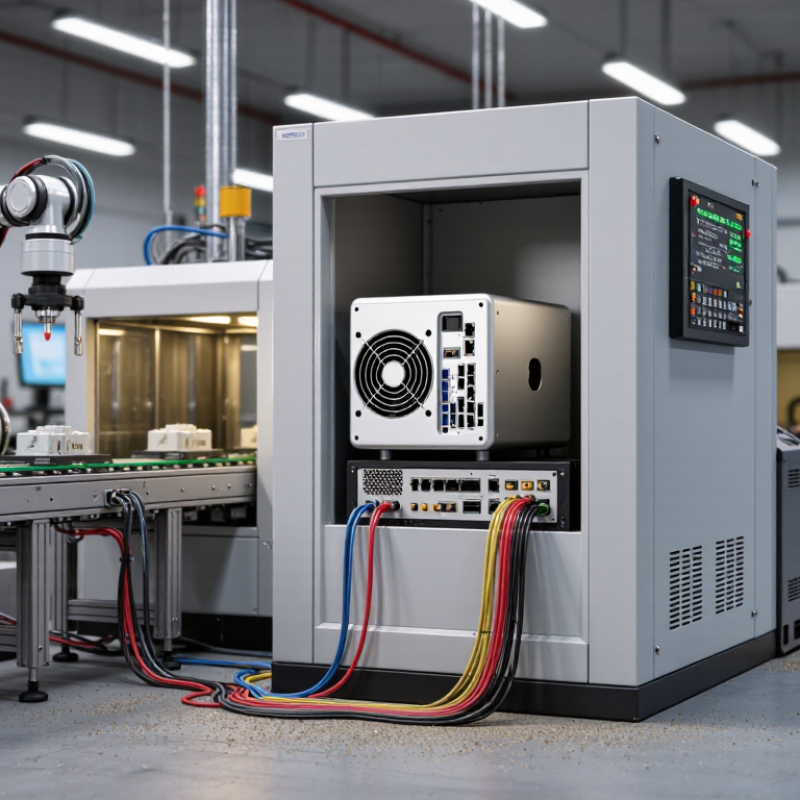
An automation computer is the industrial brain connecting sensors, machines, software, and operators. Unlike an office PC, it must manage vibration, heat, dust, and continuous operation. It can process camera images, motion signals, and production data near the machine. This reduces cloud delays and keeps critical control tasks running during network interruptions.
The need is growing quickly. The International Federation of Robotics reported 541,302 industrial robots installed worldwide in 2023. Deloitte’s 2024 Smart Manufacturing and Operations Survey found that 86% of surveyed manufacturers expect smart manufacturing to become a major competitiveness driver within three years. These figures explain why global buyers are examining processing speed, real-time response, expansion slots, and long-term availability—not only processor labels.
The details matter.
A capable automation computer should support deterministic control, industrial communication, secure remote access, and stable operation across changing temperatures. Hardware-assisted AI can inspect a scratched component beside the production line. A solid-state drive can shorten recovery after an unexpected shutdown. However, more computing power is not automatically better. Oversized hardware can increase heat, energy use, and maintenance difficulty. This is where specifications often mislead.
In practical evaluations, buyers should test the complete system with real sensors, software, and workloads. The best choice for a packaging line may fail in a dusty warehouse. Cybersecurity also deserves attention. The National Institute of Standards and Technology recommends layered protection for industrial control environments, including access control, monitoring, and timely updates. Still, updates must be tested carefully. A rushed patch can interrupt production. That uncomfortable trade-off remains part of responsible automation planning in 2026.
Which Hardware Specifications Define Reliable Automation Computers?
Best Automation Computer for Global Buyers in 2026?
Reliable automation computers need more than fast processors. They must survive heat, vibration, dust, and unstable power. Industrial buyers should examine operating temperature, shock resistance, ingress protection, and long-term component availability. ECC memory can reduce data errors during continuous control tasks. TPM 2.0, secure boot, and signed firmware strengthen system integrity. These features matter as factories connect more devices. The International Federation of Robotics reported 541,302 industrial robots were installed worldwide in 2023. More connected equipment increases the cost of a computer failure.
Storage endurance also deserves careful attention. Choose industrial-grade solid-state storage with power-loss protection and clear write-cycle ratings. Multiple Ethernet ports, serial interfaces, and isolated digital I/O simplify machine integration. A fanless chassis reduces moving parts, but it may retain heat. That trade-off is easy to overlook. Deloitte’s 2024 Global Smart Manufacturing Survey found that 92% of manufacturers view smart manufacturing as important for competitiveness. Yet many deployments still underestimate maintenance access and software support. A five-year lifecycle promise is useful only when firmware updates and replacement parts are documented.
Tips: Test the computer beside real machinery, not only in a laboratory. Check performance after eight hours of heat exposure. Confirm compatibility with local voltage standards and regional certifications. Ask for MTBF evidence, but treat it carefully; laboratory figures rarely match dusty production floors. I would also leave expansion capacity unused. Perfect specifications today can become limiting mistakes tomorrow.
How to Compare Industrial Automation Computers for Global Applications?
Choosing the best automation computer for global buyers requires more than checking processor speed. Compare the entire operating environment. The International Federation of Robotics reported 541,302 industrial robots were installed worldwide in 2023. That scale increases demand for reliable vision, motion, data collection, and edge-control systems. A suitable computer should support the required software, field protocols, storage, and expansion cards. Compatibility matters more than impressive specifications.
Thermal design deserves close attention. A dusty workshop, a sealed control cabinet, and a refrigerated facility create very different risks. Check operating temperature, vibration resistance, ingress protection, fan design, and power tolerance. Fanless systems reduce moving parts, but they may throttle under sustained workloads. That trade-off is easy to underestimate. Conductive cooling can help, though installation quality still matters.
Cybersecurity and lifecycle support should also shape the comparison. NIST’s SP 800-82 Rev. 3 guidance recommends separating industrial control systems from less trusted networks and managing remote access carefully. Look for secure boot, long-term firmware support, signed updates, and replaceable storage. The International Energy Agency reports that industry consumed about 37% of global final energy in 2022, so efficient computing can support wider operational goals. Yet efficiency claims need real measurements. Test the computer with actual cameras, protocols, and workloads. A laboratory benchmark may look excellent, while a hot cabinet reveals an uncomfortable weakness. Global buyers should also verify certifications, voltage ranges, local service capacity, and spare-part availability before approval.
What Connectivity, Compatibility, and Security Features Should Buyers Check?
For global buyers, an automation computer must communicate reliably across factories, networks, and control systems. Check Ethernet speed, industrial serial ports, USB availability, and support for common fieldbus protocols. Wireless access can help during setup, but wired connections remain more dependable near motors and heavy equipment.
Compatibility needs closer attention than processor speed. Confirm the computer supports your operating system, control software, drivers, and preferred programming environment. Review voltage input, operating temperature, mounting size, and display outputs. A unit designed for a clean office may struggle beside dust, vibration, or a hot production line. Test communication with existing controllers before placing a large order.
Security should be practical, not decorative. Look for secure boot, trusted platform support, encrypted storage, user permissions, and regular firmware updates. Disable unused ports and services. Separate machine networks from general office traffic when possible. Keep written recovery procedures nearby. They matter during a failed update.
No checklist is perfect.
I would also ask about update ownership and technical support in your region. A secure device can become risky when patches arrive late or documentation is unclear. Some buyers focus heavily on specifications and overlook spare parts, repair time, and language support. That is an expensive mistake. My own concern is that “global compatibility” often sounds broader than it really is, so every interface should be verified with the actual equipment.
Best Automation Computer for Global Buyers in 2026?
Connectivity capability is a practical starting point when evaluating an automation computer for global deployment. The chart compares published theoretical maximum data rates for widely used interfaces and standards. Buyers should also verify regional radio approvals, driver and operating-system compatibility, industrial protocol support, secure boot, hardware-based encryption, and long-term security updates.
How Can Global Buyers Evaluate Costs, Compliance, Support, and Suppliers?
A reliable automation computer should be judged by total cost, not its purchase price. Include software licenses, installation, training, spare parts, energy use, and downtime risk. A low-cost unit can become expensive when repairs require overseas shipping. Request a five-year cost model from each supplier, using the same workload and operating hours. Ask for itemized quotations. Vague pricing deserves caution.
Compliance must match the destination, industry, and installation environment. Review safety documentation, electrical ratings, electromagnetic compatibility reports, and environmental specifications. Do not accept certificates without checking their scope and issuing details. A pilot test can reveal heat buildup, unstable connections, or poor screen visibility. Small details matter. Keep test records, configuration files, and serial-number traceability.
Supplier quality is equally important. Evaluate engineering experience, factory inspection practices, response times, and local service coverage. Ask who handles a failed unit at 2 a.m. Confirm replacement procedures, remote diagnosis, firmware control, and support languages in writing. A supplier should explain cybersecurity updates without making exaggerated promises. References from similar factories are useful, but they are not proof of future performance. No scorecard is perfect. I would review the weighting after real testing, because durability and support often matter more than an attractive specification sheet. A clear contract should define acceptance tests, warranty boundaries, training duties, and escalation contacts.